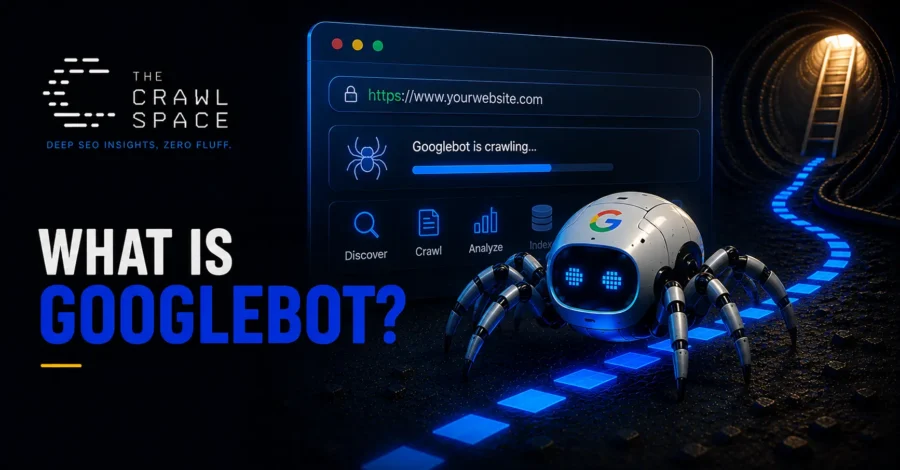
Googlebot is the name for Google’s web crawling software — not a single bot, but a family of crawlers, each with a specific job, that together discover and fetch content across the web for Google to process. This article is part of the What Is SEO? guide and focuses on the crawler itself: its variants, how it renders pages, and how to verify a request claiming to be Googlebot actually is one. For crawl budget, robots.txt, and sitemap mechanics, see What Is Crawling?
Not One Bot — Several
“Googlebot” is really an umbrella term. Google operates multiple distinct crawlers, each identified by its own user-agent string and built for a different kind of content:
| Crawler | What It’s For |
|---|---|
| Googlebot Smartphone | The primary crawler for most sites, simulating a mobile device |
| Googlebot Desktop | A secondary crawler simulating a desktop browser |
| Googlebot Image | Crawls specifically for Google Images |
| Googlebot Video | Crawls specifically for video content |
| Googlebot News | Crawls content for Google News |
| Storebot-Google | Crawls product and shopping-related content |
| AdsBot | Checks ad landing page quality, separate from organic crawling |
| Google-InspectionTool | Powers on-demand tools like Search Console’s URL Inspection and the Rich Results Test |
Each of these respects robots.txt rules independently, and a site can, in principle, allow or restrict them separately — though most sites treat “Googlebot” as a single concept and don’t need to manage each variant individually.
Why the Smartphone Crawler Is the Primary One
Since Google shifted to mobile-first indexing, Googlebot Smartphone does the bulk of the crawling and indexing work for most sites, evaluating the mobile version of a page as the default representation Google works from. Googlebot Desktop still exists and crawls too, but for most modern, responsively designed sites the two see essentially the same content — the distinction matters most for sites that still serve meaningfully different content to mobile versus desktop visitors.
How Googlebot Actually Renders a Page
Googlebot doesn’t just download raw HTML — for many pages, it also renders them, executing JavaScript much like an actual browser would, using a headless version of Chrome. This is what allows content generated dynamically by JavaScript frameworks to be read and indexed at all, though rendering is an extra processing step that can introduce a delay compared to content already present in the raw HTML.
→ For how this affects indexing timing specifically: What Is Indexing?
The User-Agent String Can Be Faked — and That’s a Real Problem
Googlebot identifies itself through a user-agent string in every request, and that string includes a Chrome version number that Google updates over time to match the browser engine it actually uses for rendering. But a user-agent string is just a piece of text any client can set to whatever it wants — Google’s own developer documentation explicitly warns that it can be spoofed, and it can.
This isn’t a theoretical risk. Because Googlebot is typically given special treatment — allowed through firewalls, exempted from rate limits, and let past bot-blocking tools by default — impersonating it is a known tactic. A scraper or malicious tool can send Googlebot’s exact user-agent string and, on a site that only checks that string, get treated as if it really were Google. Beyond scraping, this can also waste crawl-budget-adjacent server resources and skew a site’s own analytics or bot-traffic data.
How to Actually Verify a Request Is Googlebot
Since the user-agent string alone can’t be trusted, real verification requires checking the request’s IP address instead. Google documents two ways to do this, both laid out directly in its own developer documentation.
Method 1: Reverse and forward DNS lookup. Run a reverse DNS lookup on the IP from your server logs, confirm the returned hostname ends in googlebot.com, google.com, or googleusercontent.com, then run a forward DNS lookup on that hostname and confirm it resolves back to the exact same IP. Both directions have to agree — a reverse lookup alone can’t be trusted on its own. Google’s own documentation gives this example, using the standard host command:
host 66.249.66.1
1.66.249.66.in-addr.arpa domain name pointer crawl-66-249-66-1.googlebot.com.

host crawl-66-249-66-1.googlebot.com
crawl-66-249-66-1.googlebot.com has address 66.249.66.1
If both commands agree, the request is genuine. If the forward lookup returns a different IP, or doesn’t resolve at all, treat it as spoofed.
Method 2: Match against Google’s published IP ranges. Google publishes the current IP ranges for its crawlers as JSON files, split by category, since different types of Google requests resolve to different hostname patterns and carry different robots.txt behavior:
| Request Type | Hostname Pattern | What It Covers |
|---|---|---|
| Common crawlers (Googlebot and its variants) | crawl-*.googlebot.com orgeo-crawl-*.geo.googlebot.com | Automatic crawling; always respects robots.txt |
| Special-case crawlers (AdsBot, etc.) | rate-limited-proxy-*.google.com | Product-specific access; may or may not respect robots.txt |
| User-triggered fetchers | *.gae.googleusercontent.com orgoogle-proxy-*.google.com | Fetches a user directly requested, such as a manual Search Console check; ignores robots.txt since a person asked for it |
The current files are published directly by Google — for the common crawlers that make up Googlebot specifically, that’s the ‘common-crawlers.json’ file at Google’s developer site. Don’t hardcode specific IPs from any example, including the one above — Google’s ranges change over time, so the published JSON files are the only reliably current source; a script or firewall rule should fetch and check against the live file rather than a saved snapshot.
For most site owners without firewall-level bot management, the simplest practical option is Google Search Console’s own crawl reports, which show genuine Googlebot activity directly without requiring any manual DNS work.
Common Mistakes
- Trusting the user-agent string alone to identify Googlebot, without IP verification, especially for security-sensitive decisions like firewall whitelisting
- Blocking all crawlers with “bot” in the name indiscriminately, which can accidentally block Google-InspectionTool and break Search Console’s own testing tools
- Assuming Googlebot Desktop still matters as much as Smartphone for sites that serve identical content across devices, where the distinction has little practical effect
- Not accounting for rendering time when a page relies heavily on JavaScript, and expecting indexing to happen as fast as it would for static HTML
Frequently Asked Questions
Is Googlebot the same as the Google crawler that powers AI Overviews?
Not necessarily the same crawler by name — Google operates other specialized fetchers for different products, though they draw on the same underlying crawling and indexing infrastructure described in the main search engine guide.
Can I block Googlebot from part of my site without affecting the rest?
Yes, using standard robots.txt rules targeting specific paths. See What Is Crawling? for how robots.txt directives actually work.
Does verifying Googlebot’s IP matter for a small site?
It matters most for sites handling sensitive content, high-value scraping targets, or firewall/rate-limiting logic that treats Googlebot specially. For a typical small site with no such special treatment, it’s a lower-priority concern than getting the crawling and indexing basics right.
The Bottom Line
Googlebot isn’t a single, simple bot — it’s a family of specialized crawlers, led by the mobile-first Smartphone crawler, capable of rendering JavaScript much like a real browser. Its identity can be convincingly faked through a spoofed user-agent string, which makes IP-based verification the only reliable way to confirm a request claiming to be Google actually is, for anyone whose site treats Googlebot with any special trust.